News

MarkNook: Markdown Editor version 1.1.0 released!
Monday, August 31, 2026
8/19/20260.90 MB
Changelog:
- MarkNook 1.1 is a big update focused on writing and formatting.
- New formatting toolbar, Format menu and right-click menu — with keyboard shortcuts — for bold, italic, headings, lists, tables, links and more
- Live Markdown syntax highlighting in the editor
- Document outline sidebar to jump between headings
- Optional line numbers
- Focus mode for distraction-free writing
- Column (block) selection: edit many lines at once with the mouse or Shift + arrow keys
- Smart lists that continue when you press Return
- Synchronized scrolling between editor and preview
- LaTeX math and Mermaid diagrams in the preview
- Export to HTML and Word (.docx)
- Turn a pasted link into a Markdown link automatically
- Thank you for using MarkNook!
Download on the
App Store
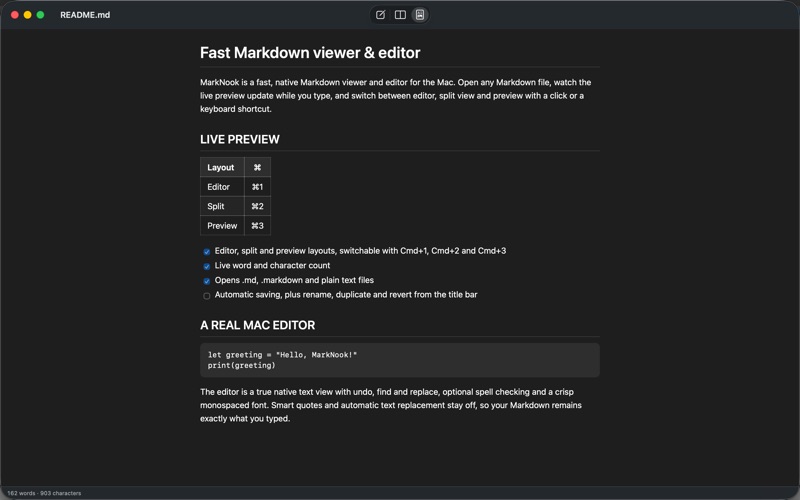
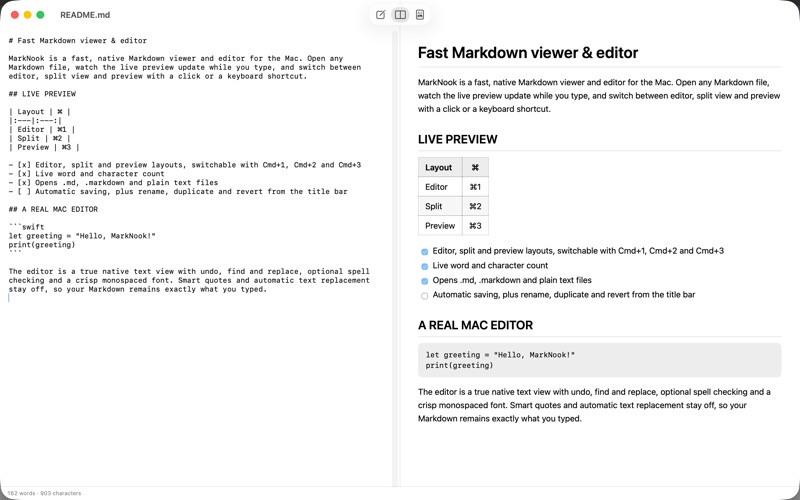
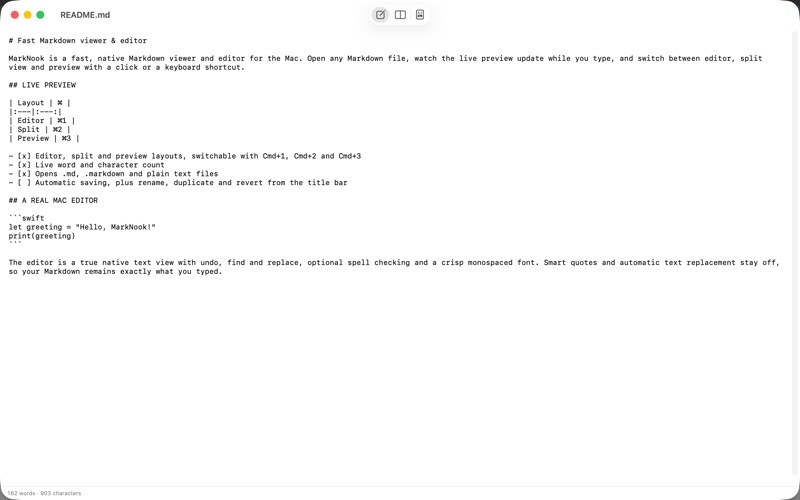
MarkNook is a fast, native Markdown viewer and editor for the Mac. Open any Markdown file, watch the live preview update while you type, and switch between editor, split view and preview with a click or a keyboard shortcut.
LIVE PREVIEW
The preview follows GitHub-flavored Markdown (GFM): headings, lists, tables, task lists, strikethrough, code blocks, links and images look exactly the way you expect. LaTeX math formulas and Mermaid diagrams render right in the preview. Links open in your browser, and the preview follows the system's light or dark appearance.
A REAL MAC EDITOR
The editor is a true native text view with undo, find and replace, optional spell checking and a crisp monospaced font. Smart quotes and automatic text replacement stay off, so your Markdown remains exactly what you typed.
WRITING & FORMATTING TOOLS
- A formatting toolbar, a Format menu and a right-click menu — all with keyboard shortcuts — for bold, italic, headings, lists, tables, links, images and more
- Live Markdown syntax highlighting as you type
- A document outline to jump around long files, optional line numbers, and a focus mode for distraction-free writing
- Column (block) selection to select and edit many lines at once
- Smart lists that continue automatically when you press Return
MADE FOR YOUR WORKFLOW
- Editor, split and preview layouts, switchable with Cmd+1, Cmd+2 and Cmd+3
- Synchronized scrolling between editor and preview in split view
- Live word and character count
- Opens .md, .markdown and plain text files
- Automatic saving, plus rename, duplicate and revert from the title bar
- Full dark mode support
EXPORT & PRINT
Export your document to HTML or Word (.docx), or print it as rich or plain text.
PRIVATE AND RELIABLE
MarkNook is fully sandboxed, shows no ads, contains no tracking and works completely offline. Your documents never leave your Mac.
Whether you keep notes, maintain README files or write documentation: MarkNook keeps Markdown simple.
LIVE PREVIEW
The preview follows GitHub-flavored Markdown (GFM): headings, lists, tables, task lists, strikethrough, code blocks, links and images look exactly the way you expect. LaTeX math formulas and Mermaid diagrams render right in the preview. Links open in your browser, and the preview follows the system's light or dark appearance.
A REAL MAC EDITOR
The editor is a true native text view with undo, find and replace, optional spell checking and a crisp monospaced font. Smart quotes and automatic text replacement stay off, so your Markdown remains exactly what you typed.
WRITING & FORMATTING TOOLS
- A formatting toolbar, a Format menu and a right-click menu — all with keyboard shortcuts — for bold, italic, headings, lists, tables, links, images and more
- Live Markdown syntax highlighting as you type
- A document outline to jump around long files, optional line numbers, and a focus mode for distraction-free writing
- Column (block) selection to select and edit many lines at once
- Smart lists that continue automatically when you press Return
MADE FOR YOUR WORKFLOW
- Editor, split and preview layouts, switchable with Cmd+1, Cmd+2 and Cmd+3
- Synchronized scrolling between editor and preview in split view
- Live word and character count
- Opens .md, .markdown and plain text files
- Automatic saving, plus rename, duplicate and revert from the title bar
- Full dark mode support
EXPORT & PRINT
Export your document to HTML or Word (.docx), or print it as rich or plain text.
PRIVATE AND RELIABLE
MarkNook is fully sandboxed, shows no ads, contains no tracking and works completely offline. Your documents never leave your Mac.
Whether you keep notes, maintain README files or write documentation: MarkNook keeps Markdown simple.
